VoiceThread Tutorial for Students
Creating
How do I import media from Flickr into a VoiceThread?
You can search and import Creative Commons licensed images from Flickr without needing a Flickr account. All of the images available through Flickr via the Media Sources browser are from within the Creative Commons licensed collection at Flickr, and as always, link and attribution are automatically applied at the bottom of all imported images.
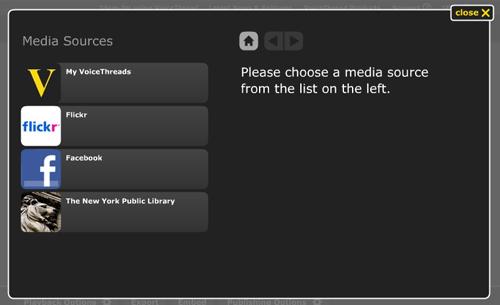 In the Edit mode of a VoiceThread, click 1. Upload in the menu on the left. When this menu opens, click on the button labeled Media Sources, select Flickr, and then click the link that says Click here to get started. This will open a page where you can select a category from the left or enter your own search terms in the search area at the top of the page.
To access your own photos from your Flickr account, select the top category and enter your Flickr username and password (if you're already signed into Flickr, this step will be done automatically). Once you have entered your username and password, you will be brought back to VoiceThread, where you'll be able to select from your Flickr collections and import individual images to your VoiceThread.