
Noodletools for Students
This book will have instructions and tutorials on the use of Noodletools as an option for citations, notetaking, and outlining for student use.
New User Registration
New User Registration
Creating your personal folder
- On the login screen, click Create a Personal ID
- You will be taken directly to the New User Registration screen.
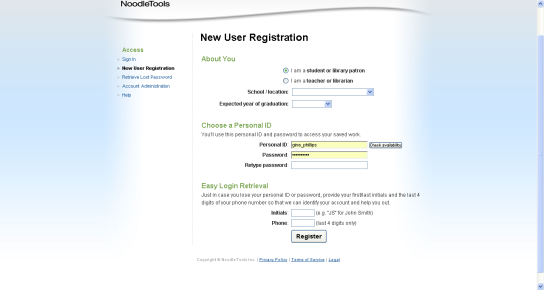
Choose "I am a student" and pull the drop down boxes to select your school and your year of graduation.
Choose your personal ID - please use the following login:
- Personal ID = computer login
- Password = student number
Please note: If you are accessing Noodletools from home (or any computer outside of BPS) for the first time, talk to your librarian or teacher to get the remote logins to access the subscription (also available on the database password sheet available through the school libraries).
Enter your first and last name initials along with the last 4 digits of your phone number which will be used as a prompt case you forget your username and password. Click REGISTER!